
SnapDrop - Free Transfer Files Cross-Platform | snapdrop.net
SnapDrop is a lightweight and web-based file-sharing platform that enables direct transfers of files between devices connected to the same local network. Unlike traditional file sharing services that require software installation or cloud-based storage, SnapDrop uses your browser and local Wi-Fi to instantly detect nearby devices and send files securely. It's especially favored for its speed, ease of use, and privacy-friendly nature.
History of SnapDrop
SnapDrop was developed by Robin Linus, a German software developer, who launched it as an open-source alternative to Apple's AirDrop. It was first released on GitHub and quickly attracted attention for its simplicity and cross-platform functionality. Since then, it has become a go-to solution for people looking to share files without using the internet or installing third-party software.
The platform continues to evolve through community contributions, with forks and enhancements available on various open-source repositories. Despite being a hobby project, SnapDrop has grown in popularity due to its practical real-world utility.
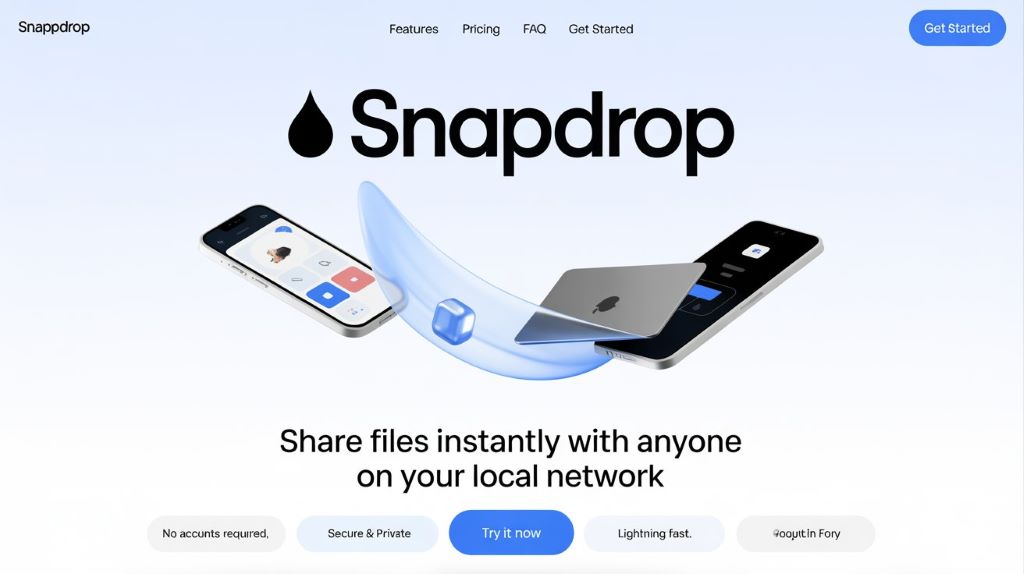
What is SnapDrop?
SnapDrop is a web-based file-sharing service that operates directly in your web browser using technologies like WebRTC and WebSockets. It allows for peer-to-peer file transfers between devices that are on the same local area network (LAN). No server stores your files, ensuring a highly private and secure exchange.
The platform supports a wide range of file types, including images, documents, videos, and audio files. Its clean and intuitive interface makes it accessible even for non-technical users.
Does SnapDrop still work? Is SnapDrop down?
As of now, SnapDrop still works and is regularly used by people around the world. The official website is snapdrop.net. However, there may be temporary downtimes due to domain issues or server overload. In such cases, users can explore self-hosted versions or community forks available on GitHub.
If the official site is inaccessible, it may also be due to network firewall restrictions or browser-related errors. You can verify its status using online tools like “Is It Down Right Now?” or simply trying an alternative browser or device.
Key Features of SnapDrop
- No app or installation required – works directly in your browser.
- Free and open-source with transparent development.
- Uses secure peer-to-peer connections via WebRTC.
- Supports cross-platform file sharing (Windows, macOS, Linux, Android, iOS).
- Instant device detection on the same Wi-Fi network.
- No file size restrictions enforced by SnapDrop itself.
- Ad-free and clutter-free interface.
What does SnapDrop use for?
SnapDrop is designed for local file sharing without the internet. It’s particularly useful in situations such as:
- Transferring photos and videos between your phone and computer.
- Quickly sharing documents with colleagues during meetings.
- Sending files between devices in environments with limited or no internet access.
- Avoiding cloud-based services for privacy reasons.
How to transfer files on SnapDrop?
- Open Snapdrop.net on both devices using a modern browser.
- Make sure both devices are connected to the same Wi-Fi network.
- Each device will display the other’s name on the screen.
- Click or tap the name of the receiving device.
- Select the file you want to send.
- The recipient will receive a prompt to accept and download the file.
Transfers are quick and direct, with no need for cables, accounts, or third-party apps.
Best SnapDrop Alternatives
- Sharedrop.io – Similar interface and function, also based on WebRTC.
- SendAnywhere – Uses internet to transfer files, with cross-platform support.
- Dukto – A desktop-based LAN transfer tool for Windows and Linux.
- FilePizza – Peer-to-peer file sharing using magnet-like links.
- WarpShare – Linux-based local sharing utility.
FAQs about SnapDrop
Is SnapDrop safe and legal?
Yes, SnapDrop is safe as it uses end-to-end encrypted connections for file transfers. It is legal and open-source, with no hidden tracking or malicious behavior.
Does SnapDrop require a fee?
No. SnapDrop is completely free to use. There are no subscription plans or usage limits.
Can I backup my files after transferring files on SnapDrop?
SnapDrop does not provide cloud backup. Once files are downloaded, you are responsible for saving them locally or uploading them to your preferred backup service.
Which devices does SnapDrop support?
Any device with a modern browser is supported. This includes:
- Windows and macOS desktops/laptops
- Android phones and tablets
- iPhones and iPads
- Linux systems
Do I need an account to use SnapDrop?
No account is required. SnapDrop is anonymous and ready-to-use immediately upon visiting the website.
Does SnapDrop have ads?
No. SnapDrop is ad-free, offering a clean and focused user experience without distractions.
How to use SnapDrop in the right way?
- Ensure all devices are on the same Wi-Fi network.
- Use updated, compatible browsers like Chrome, Firefox, Safari, or Edge.
- Do not refresh the page during transfer to avoid interruption.
- Keep both browser tabs open until the transfer completes.